
User Management Via Chat
What is User Management Via Chat
user-management-via-chat is a tool designed for user creation and deletion through Claude Desktop, allowing administrators to manage user accounts efficiently via chat commands.
Use cases
Use cases include creating new user accounts for employees, deleting inactive user accounts, and managing user permissions through chat commands.
How to use
To use user-management-via-chat, clone the repository, set up the environment by copying the .env file and entering your admin password, install the UV Package Manager, and configure Claude Desktop to run the MCP server. Once set up, you can create or delete users by chatting with Claude.
Key features
Key features include easy user creation and deletion, integration with Claude Desktop, and the ability to manage user accounts through simple chat commands.
Where to use
user-management-via-chat can be used in various fields such as IT administration, educational institutions, and any organization that requires user account management through a chat interface.
Clients Supporting MCP
The following are the main client software that supports the Model Context Protocol. Click the link to visit the official website for more information.





Overview
What is User Management Via Chat
user-management-via-chat is a tool designed for user creation and deletion through Claude Desktop, allowing administrators to manage user accounts efficiently via chat commands.
Use cases
Use cases include creating new user accounts for employees, deleting inactive user accounts, and managing user permissions through chat commands.
How to use
To use user-management-via-chat, clone the repository, set up the environment by copying the .env file and entering your admin password, install the UV Package Manager, and configure Claude Desktop to run the MCP server. Once set up, you can create or delete users by chatting with Claude.
Key features
Key features include easy user creation and deletion, integration with Claude Desktop, and the ability to manage user accounts through simple chat commands.
Where to use
user-management-via-chat can be used in various fields such as IT administration, educational institutions, and any organization that requires user account management through a chat interface.
Clients Supporting MCP
The following are the main client software that supports the Model Context Protocol. Click the link to visit the official website for more information.
Content
MCP Create User
A tool for user creation/deletion with Claude Desktop.
Prerequisites
- macOS/ubuntu
- UV Package Manager
- Claude Desktop
Installation
1. Clone the Repository
Clone this repository to your local machine:
git clone https://github.com/maiphong0411/user-management-via-chat.git
cd user-management-via-chat
2. Copy env file
Copy the .env.example file to a new file named .env:
cp .env.example .env
Enter your admin password in .env.
3. Install UV Package Manager
Install UV using Homebrew and dependencies:
brew install uv
Install dependencies:
uv sync
4. Install and Add config to Claude Desktop
Make sure that you have installed Claude Desktop.
Link for download: https://claude.ai/download
Open config file:
code ~/Library/Application\ Support/Claude/claude_desktop_config.json
This is the template:
{
  "mcpServers": {
    "user-manager": {
      "command": "uv",
      "args": [
        "--directory",
        "/ABSOLUTE/PATH/TO/PARENT/FOLDER",
        "run",
        "mcp_server.py"
      ]
    }
  }
}
Please replace the path to the parent folder with the absolute path to the folder where you cloned this repository.
Finally, start Claude Desktop and chat with Claude.
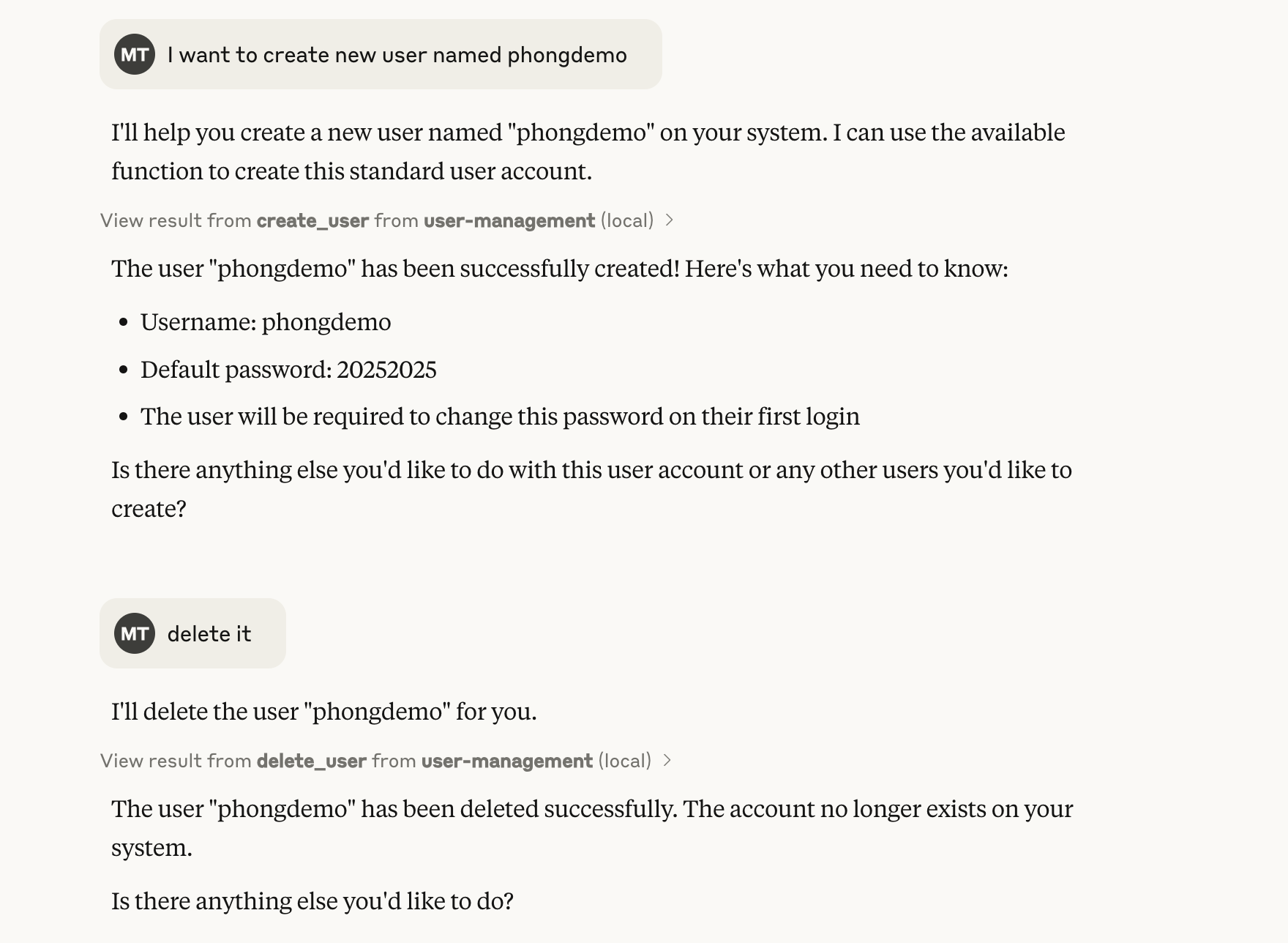
Example: I want to create new user named phongdemo
When it is created successfully, it will return the default password and you must change the password at the first login.
Check user in local computer:
dscl . -list /Users | grep phongdemo
Contact:
If you have any questions or need assistance, please contact me at:
- Email: [email protected]
Dev Tools Supporting MCP
The following are the main code editors that support the Model Context Protocol. Click the link to visit the official website for more information.







