
Weather Mcp Server Java
What is Weather Mcp Server Java
weather-mcp-server-java is a simple implementation of a Model Context Protocol (MCP) server in Java that provides weather information for any location.
Use cases
Use cases include providing real-time weather updates in AI applications, enhancing chatbots with weather information, and integrating weather data into personal assistant tools.
How to use
To use weather-mcp-server-java, clone the repository, build the project using Maven, and run the generated jar file to start the MCP server. It can be integrated with Claude Desktop as an MCP client.
Key features
Key features include the ability to get current weather information for any location, compatibility with Claude Desktop and other MCP clients, and usage of the free wttr.in weather API without requiring an API key.
Where to use
weather-mcp-server-java can be used in various applications that require weather data, such as AI assistants, chatbots, or any software that integrates with external weather services.
Clients Supporting MCP
The following are the main client software that supports the Model Context Protocol. Click the link to visit the official website for more information.





Overview
What is Weather Mcp Server Java
weather-mcp-server-java is a simple implementation of a Model Context Protocol (MCP) server in Java that provides weather information for any location.
Use cases
Use cases include providing real-time weather updates in AI applications, enhancing chatbots with weather information, and integrating weather data into personal assistant tools.
How to use
To use weather-mcp-server-java, clone the repository, build the project using Maven, and run the generated jar file to start the MCP server. It can be integrated with Claude Desktop as an MCP client.
Key features
Key features include the ability to get current weather information for any location, compatibility with Claude Desktop and other MCP clients, and usage of the free wttr.in weather API without requiring an API key.
Where to use
weather-mcp-server-java can be used in various applications that require weather data, such as AI assistants, chatbots, or any software that integrates with external weather services.
Clients Supporting MCP
The following are the main client software that supports the Model Context Protocol. Click the link to visit the official website for more information.
Content
MCP Weather Server - Java implementation
A simple Model Context Protocol (MCP) server that provides weather information for any location.
Accompanying blog post: Building a simple MCP Server in Java.
What is MCP?
The Model Context Protocol (MCP) is a standardized way for AI applications and agents to connect with data sources and tools. It allows AI models like Claude to interact with your local system, external services, and custom tools through a standardized interface.
Project Features
- Get current weather information for any location
- Compatible with Claude Desktop and other MCP clients
- Uses the free wttr.in weather API (no API key required)
Project Requirements
- Java 17 or later
- Maven 3.6 or later
- Spring Boot 3.3.x or later
- Claude for Desktop for AI assistant integration (used as an MCP Client)
Dependencies
This project relies on the following key components:
<dependencies>
    <dependency>
        <groupId>org.springframework.ai</groupId>
        <artifactId>spring-ai-starter-mcp-server</artifactId>
    </dependency>

    <dependency>
        <groupId>org.springframework</groupId>
        <artifactId>spring-web</artifactId>
    </dependency>
</dependencies>
Building and Running
The server uses STDIO transport mode and is typically started automatically by the client.
Clone the repository
The first step is to clone the project:
git clone https://github.com/chrischiedo/weather-mcp-server-java.git
cd weather-mcp-server-java
Build the project
To build the server jar, use:
./mvnw clean install -DskipTests
This will create a jar file in the target directory.
Run tests
To run tests, use:
./mvnw test
Usage
Running the server
Execute the jar file to start the MCP server:
java -jar target/weather-mcp-server-0.0.1-SNAPSHOT.jar
Claude Desktop Integration
To integrate the MCP server with Claude Desktop, add the following configuration to your Claude Desktop config settings:
{
  "mcpServers": {
    "mcp-weather-server": {
      "command": "java",
      "args": [
        "-Dspring.ai.mcp.server.stdio=true",
        "-jar",
        "/absolute/path/to/weather-mcp-server-0.0.1-SNAPSHOT.jar"
      ]
    }
  }
}Note: On MacOS, the config settings file can be opened using:
vi ~/Library/Application\ Support/Claude/claude_desktop_config.json
Note: Remember to replace /absolute/path/to/ with the actual path to your built jar file.
Example prompts for Claude Desktop
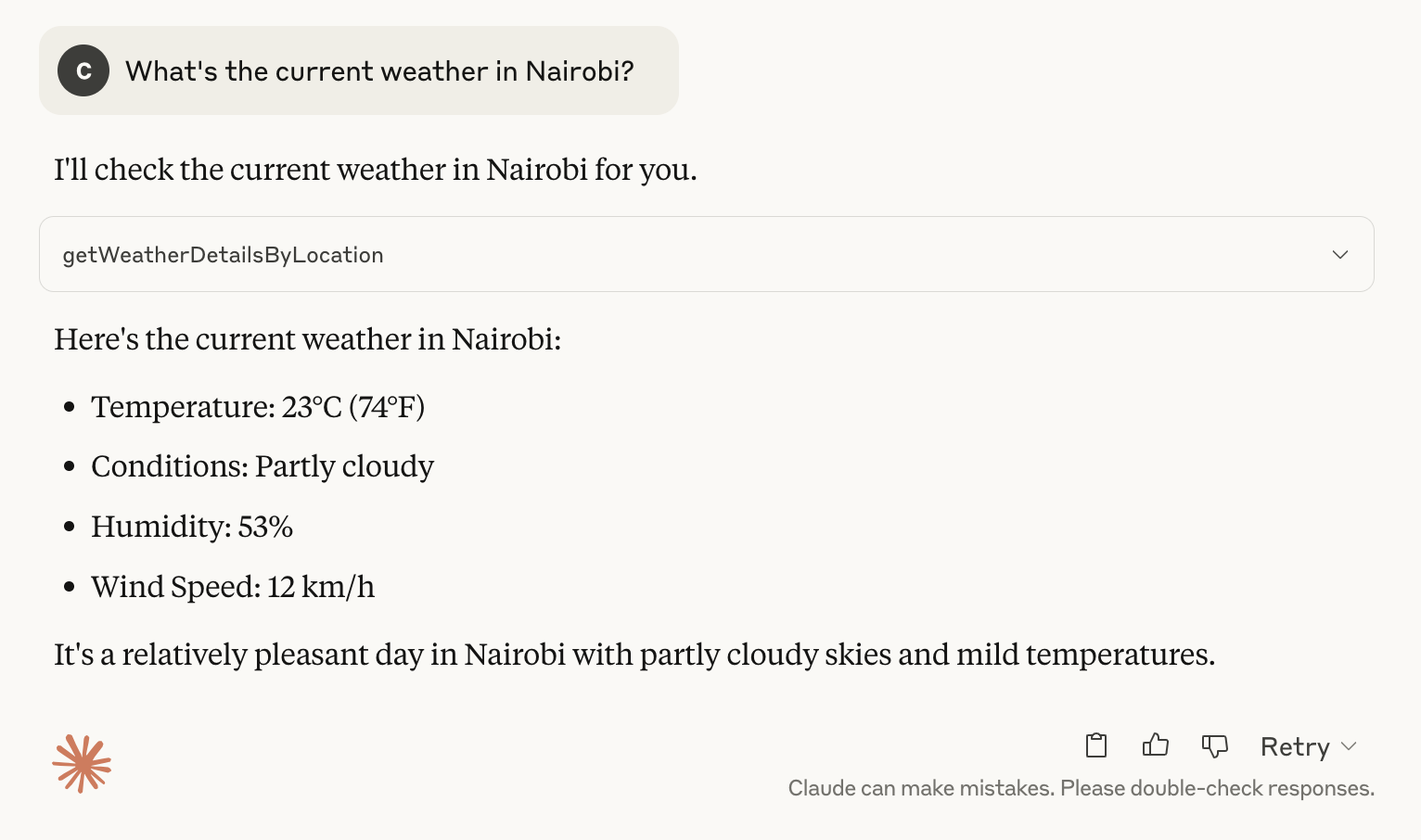
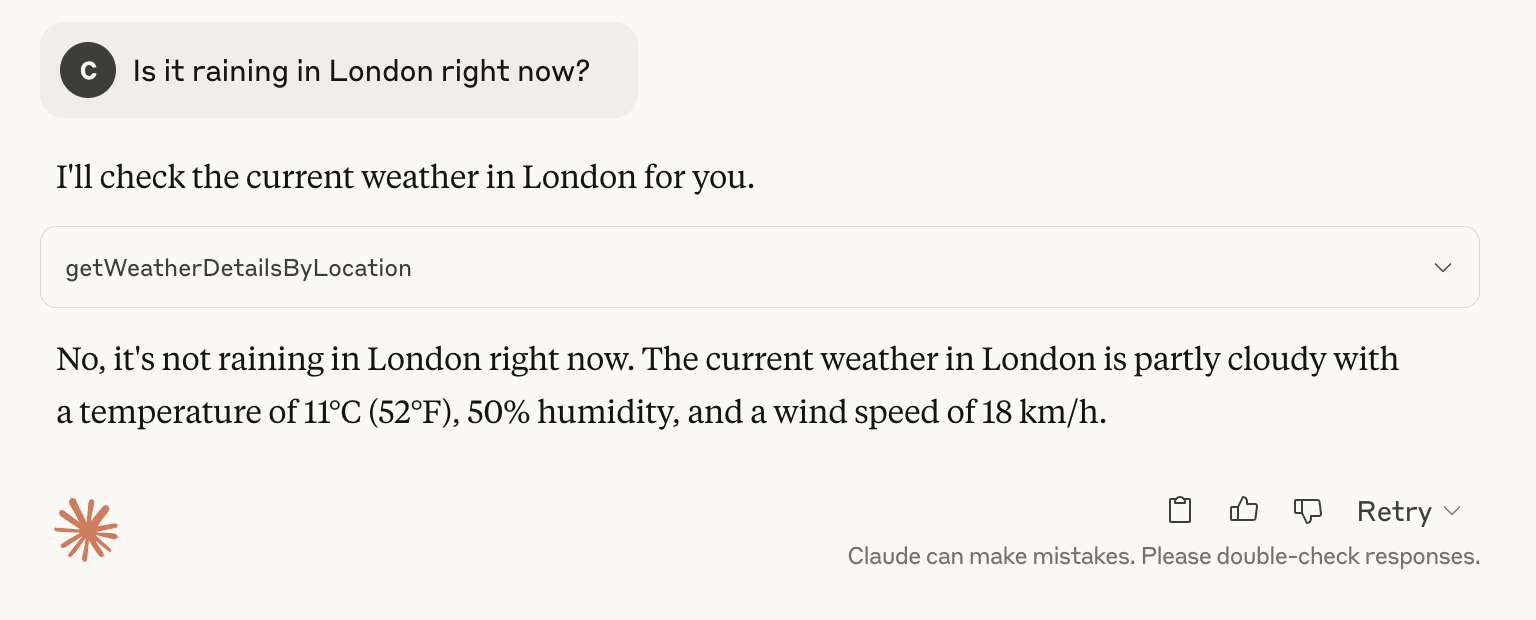
Once connected, you can ask Claude to use the weather tool:
1. "What's the current weather in Nairobi?"
2. "Is it raining in London right now?"
3. "Tell me the temperature in Paris right now."
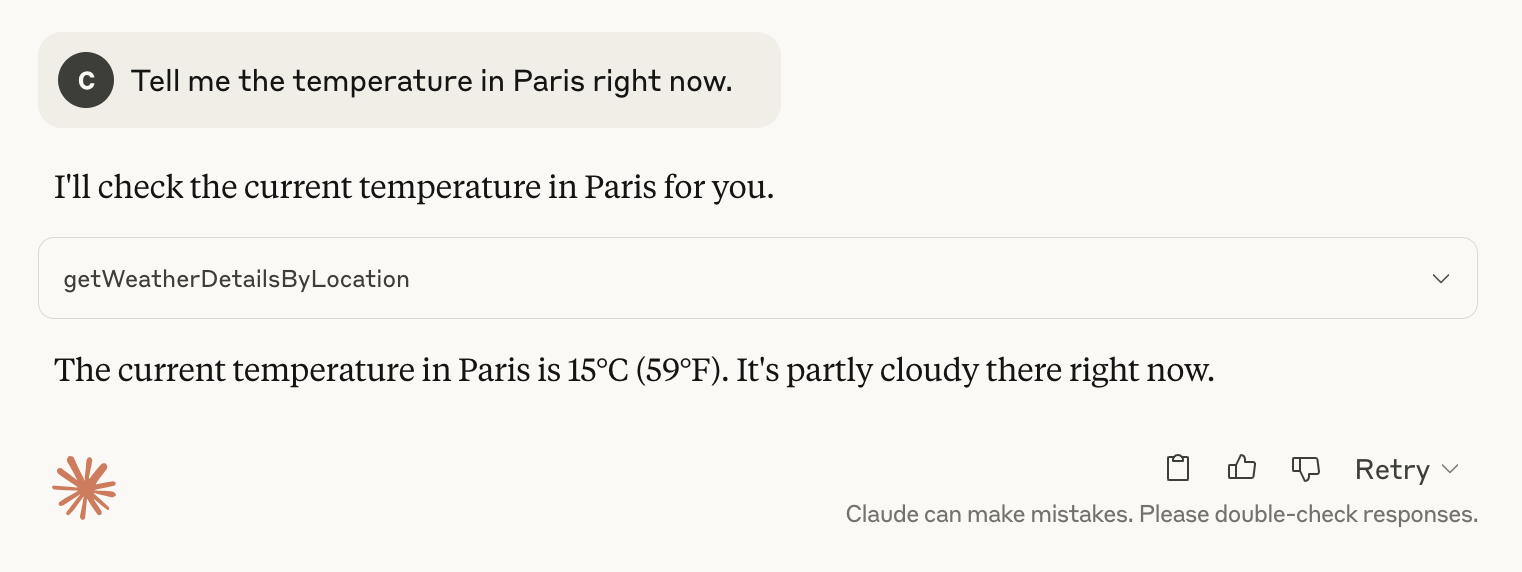
Note: The prompts above were issued on 4th May 2025.
How it works
This server implements the Model Context Protocol to provide a tool that fetches weather data from the wttr.in API. When Claude or another MCP client connects to this server, they can use the getWeatherDetailsByLocation tool to retrieve current weather conditions for any location.
Extending the server
You can extend this server by:
- Adding more weather-related tools (forecasts, alerts, historical data, etc.)
- Implementing other MCP capabilities like resources or prompts
- Using a different weather API with more features (for example, wunderground)
License
This project is open source and available under the MIT License.
Further Resources
Dev Tools Supporting MCP
The following are the main code editors that support the Model Context Protocol. Click the link to visit the official website for more information.







