
Wolframalpha Llm Mcp
What is Wolframalpha Llm Mcp
WolframAlpha-llm-mcp is an MCP Server that provides access to WolframAlpha’s LLM API, enabling users to obtain structured knowledge and solve mathematical problems through natural language queries.
Use cases
Use cases for wolframalpha-llm-mcp include educational assistance for students in mathematics and science, automated data retrieval for research purposes, and enhancing chatbot capabilities with accurate information.
How to use
To use wolframalpha-llm-mcp, clone the repository, install the necessary dependencies, obtain a WolframAlpha API key, and configure it in your MCP settings file. You can then use commands like ‘ask_llm’ to query the API.
Key features
Key features include querying WolframAlpha’s LLM API with natural language, answering complex mathematical questions, retrieving facts across various domains such as science and history, and providing structured responses optimized for LLM consumption.
Where to use
undefined
Clients Supporting MCP
The following are the main client software that supports the Model Context Protocol. Click the link to visit the official website for more information.





Overview
What is Wolframalpha Llm Mcp
WolframAlpha-llm-mcp is an MCP Server that provides access to WolframAlpha’s LLM API, enabling users to obtain structured knowledge and solve mathematical problems through natural language queries.
Use cases
Use cases for wolframalpha-llm-mcp include educational assistance for students in mathematics and science, automated data retrieval for research purposes, and enhancing chatbot capabilities with accurate information.
How to use
To use wolframalpha-llm-mcp, clone the repository, install the necessary dependencies, obtain a WolframAlpha API key, and configure it in your MCP settings file. You can then use commands like ‘ask_llm’ to query the API.
Key features
Key features include querying WolframAlpha’s LLM API with natural language, answering complex mathematical questions, retrieving facts across various domains such as science and history, and providing structured responses optimized for LLM consumption.
Where to use
undefined
Clients Supporting MCP
The following are the main client software that supports the Model Context Protocol. Click the link to visit the official website for more information.
Content
WolframAlpha LLM MCP Server
A Model Context Protocol (MCP) server that provides access to WolframAlpha’s LLM API. https://products.wolframalpha.com/llm-api/documentation
Features
- Query WolframAlpha’s LLM API with natural language questions
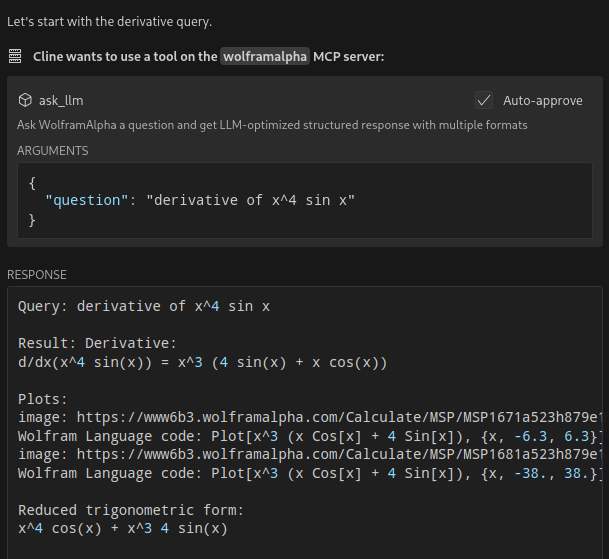
- Answer complicated mathematical questions
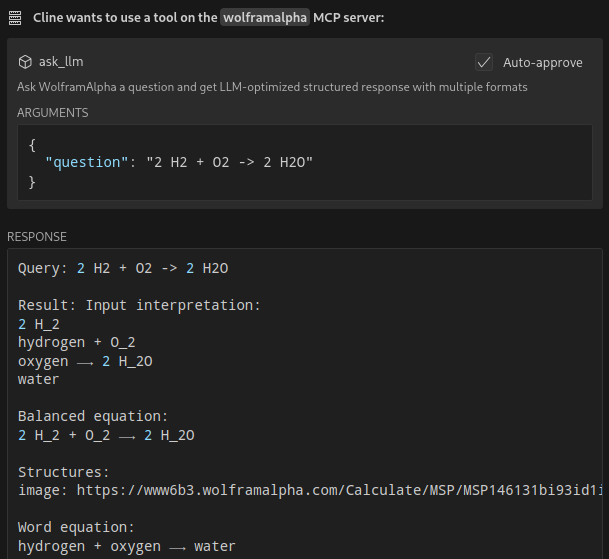
- Query facts about science, physics, history, geography, and more
- Get structured responses optimized for LLM consumption
- Support for simplified answers and detailed responses with sections
Available Tools
ask_llm: Ask WolframAlpha a question and get a structured llm-friendly responseget_simple_answer: Get a simplified answervalidate_key: Validate the WolframAlpha API key
Installation
git clone https://github.com/Garoth/wolframalpha-llm-mcp.git
npm install
Configuration
-
Get your WolframAlpha API key from developer.wolframalpha.com
-
Add it to your Cline MCP settings file inside VSCode’s settings (ex. ~/.config/Code/User/globalStorage/saoudrizwan.claude-dev/settings/cline_mcp_settings.json):
{
  "mcpServers": {
    "wolframalpha": {
      "command": "node",
      "args": [
        "/path/to/wolframalpha-mcp-server/build/index.js"
      ],
      "env": {
        "WOLFRAM_LLM_APP_ID": "your-api-key-here"
      },
      "disabled": false,
      "autoApprove": [
        "ask_llm",
        "get_simple_answer",
        "validate_key"
      ]
    }
  }
}
Development
Setting Up Tests
The tests use real API calls to ensure accurate responses. To run the tests:
-
Copy the example environment file:
cp .env.example .env -
Edit
.envand add your WolframAlpha API key:WOLFRAM_LLM_APP_ID=your-api-key-hereNote: The
.envfile is gitignored to prevent committing sensitive information. -
Run the tests:
npm test
Building
npm run build
License
MIT
Dev Tools Supporting MCP
The following are the main code editors that support the Model Context Protocol. Click the link to visit the official website for more information.







