
Xcode Index Mcp
What is Xcode Index Mcp
xcode-index-mcp is a tool that provides Goose/Cursor access to your iOS/macOS project index through the Model Control Protocol (MCP) and IndexStoreDB. It helps in obtaining comprehensive lists of function call sites for better refactoring and code navigation.
Use cases
Use cases for xcode-index-mcp include refactoring code by updating function parameters, navigating through complex codebases, and ensuring all references are updated when making changes to function signatures.
How to use
To use xcode-index-mcp, first install the Python package manager ‘uv’ and run ‘uv sync’. Then, build the Swift service with Xcode installed. After that, install it in your preferred agent (Goose or Cursor) by configuring the command in the settings. Finally, update your project configuration to utilize the plugin.
Key features
Key features of xcode-index-mcp include integration with Goose and Cursor, comprehensive access to function call sites, and support for refactoring and code navigation within iOS/macOS projects.
Where to use
xcode-index-mcp is primarily used in software development, particularly in iOS and macOS application development where Xcode is the main IDE.
Clients Supporting MCP
The following are the main client software that supports the Model Context Protocol. Click the link to visit the official website for more information.





Overview
What is Xcode Index Mcp
xcode-index-mcp is a tool that provides Goose/Cursor access to your iOS/macOS project index through the Model Control Protocol (MCP) and IndexStoreDB. It helps in obtaining comprehensive lists of function call sites for better refactoring and code navigation.
Use cases
Use cases for xcode-index-mcp include refactoring code by updating function parameters, navigating through complex codebases, and ensuring all references are updated when making changes to function signatures.
How to use
To use xcode-index-mcp, first install the Python package manager ‘uv’ and run ‘uv sync’. Then, build the Swift service with Xcode installed. After that, install it in your preferred agent (Goose or Cursor) by configuring the command in the settings. Finally, update your project configuration to utilize the plugin.
Key features
Key features of xcode-index-mcp include integration with Goose and Cursor, comprehensive access to function call sites, and support for refactoring and code navigation within iOS/macOS projects.
Where to use
xcode-index-mcp is primarily used in software development, particularly in iOS and macOS application development where Xcode is the main IDE.
Clients Supporting MCP
The following are the main client software that supports the Model Context Protocol. Click the link to visit the official website for more information.
Content
Xcode Index MCP
Gives Goose/Cursor access to your iOS/macOS project index through the Model Control Protocol (MCP) and IndexStoreDB. This provides exhaustive lists of function call sites to help your agent with refactoring and code navigation.
Example prompt
“Remove myParameter from the initializer on line 48 of MyViewController.swift. Use the Xcode Index MCP to ensure all references are updated.”
How to use
-
Install
uv(Python package manager) and runuv syncbrew install uv cd /path/to/this/repo uv sync -
Build the Swift service (Xcode must be installed)
cd swift-service
swift build
This step is required as it provides the interface to Xcode’s index.
-
Install in Agent of your choice
Goose:
Go to settings and add a custom extension. In the modal that pops up, under the
commandfield, add this line:uv run /Users/<USERNAME>/Development/xcode-index-mcp/.venv/bin/xcode-index-mcpNote: Replace
<USERNAME>with your actual system username.The rest should look something like this:
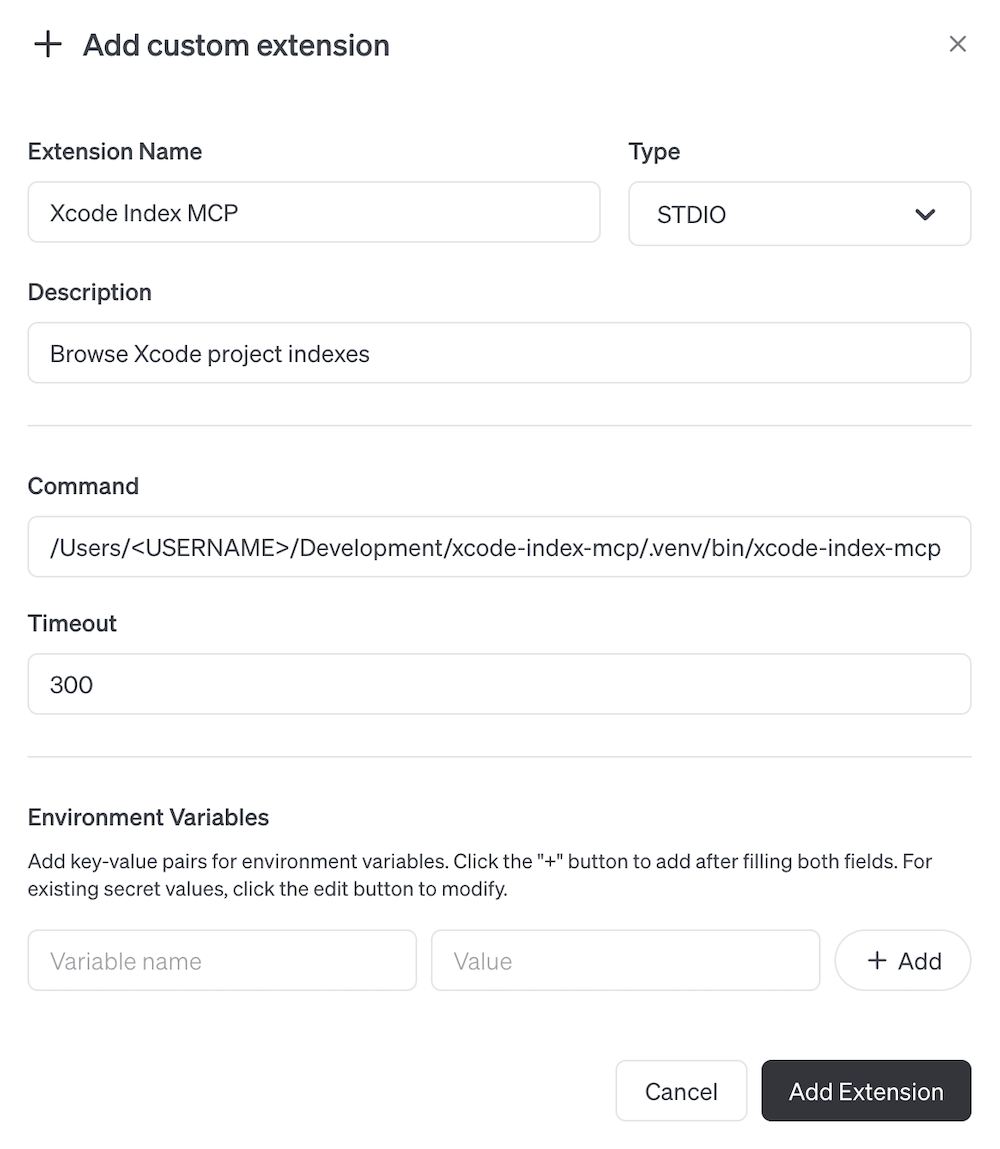
Cursor:
Go to
Settings > MCP > Add new global MCP server. Update mcp.json (typically located in your Cursor configuration directory) to look something like this:{ "mcpServers": { "Xcode Index MCP": { "command": "uv", "args": [ "run", "/Users/<USERNAME>/Development/xcode-index-mcp/.venv/bin/xcode-index-mcp" ] } } }Note: Replace
<USERNAME>with your actual system username. -
Update
.gooseHintsorcursorRulesin your project to tell your agent how to use the plugin. Replace the project name with the name of your project as it appears in the derived data folder.Use tool `xcode-index-mcp` if available. Use project name <Your project name here>. The tool can locate call sites of functions, and function definitions from call sites. If you need a filepath to make a request, use `rg` to find the file and `rg -n` to find the line number. Use the absolute path when requesting symbols from a file.For Cursor, you may want to add these instructions in their own rule file - at the time of writing I don’t think cursor reads the MCP
instructionsfield.
Running tests
To run tests for Swift, cd into swift-service and run swift test.
How it works
The tool consists of two main components:
- An MCP server in the
srcdirectory that handles communication with Goose/Cursor - A Swift service in the
swift-servicedirectory that interfaces with Xcode’s index using Apple’sIndexStoreDBpackage
When the MCP server calls ‘load_index’, the Swift service will look through Xcode’s derived data directory for a project file. When found it will attempt to load the project’s index. Queries are passed from the MCP server to the index through a subset of the methods provided in IndexStoreDB.
Dev Tools Supporting MCP
The following are the main code editors that support the Model Context Protocol. Click the link to visit the official website for more information.







