
Xcodeproj Mcp Server
What is Xcodeproj Mcp Server
xcodeproj-mcp-server is a Model Context Protocol (MCP) server designed for programmatically manipulating Xcode project files (.xcodeproj) using Swift.
Use cases
Use cases include automating project setup for new applications, modifying existing Xcode projects for continuous integration, and integrating with AI assistants to streamline development workflows.
How to use
To use xcodeproj-mcp-server, configure it in your Claude Desktop configuration file by adding the necessary command and arguments to run the server in a Docker container.
Key features
Key features include creating new Xcode projects, managing targets, files, and build configurations, modifying build settings, adding dependencies and frameworks, and automating common Xcode project tasks.
Where to use
xcodeproj-mcp-server is primarily used in software development environments where Xcode projects are managed, particularly in macOS applications.
Clients Supporting MCP
The following are the main client software that supports the Model Context Protocol. Click the link to visit the official website for more information.





Overview
What is Xcodeproj Mcp Server
xcodeproj-mcp-server is a Model Context Protocol (MCP) server designed for programmatically manipulating Xcode project files (.xcodeproj) using Swift.
Use cases
Use cases include automating project setup for new applications, modifying existing Xcode projects for continuous integration, and integrating with AI assistants to streamline development workflows.
How to use
To use xcodeproj-mcp-server, configure it in your Claude Desktop configuration file by adding the necessary command and arguments to run the server in a Docker container.
Key features
Key features include creating new Xcode projects, managing targets, files, and build configurations, modifying build settings, adding dependencies and frameworks, and automating common Xcode project tasks.
Where to use
xcodeproj-mcp-server is primarily used in software development environments where Xcode projects are managed, particularly in macOS applications.
Clients Supporting MCP
The following are the main client software that supports the Model Context Protocol. Click the link to visit the official website for more information.
Content
xcodeproj-mcp-server






A Model Context Protocol (MCP) server for manipulating Xcode project files (.xcodeproj) using Swift.
Overview
xcodeproj-mcp-server is an MCP server that provides tools for programmatically manipulating Xcode project files. It leverages the tuist/xcodeproj library for reliable project file manipulation and implements the Model Context Protocol using the swift-sdk.
This server enables AI assistants and other MCP clients to:
- Create new Xcode projects
- Manage targets, files, and build configurations
- Modify build settings
- Add dependencies and frameworks
- Automate common Xcode project tasks
How to set up for Claude Desktop and Claude Code
Prerequisites
- Docker
- macOS (for running Xcode projects)
Installation using Docker
Pull the pre-built Docker image from GitHub Container Registry:
docker pull ghcr.io/giginet/xcodeproj-mcp-server
Configuration for Claude Code
# Add MCP server using Docker
$ claude mcp add xcodeproj -- docker run --rm -i -v $PWD:/workspace ghcr.io/giginet/xcodeproj-mcp-server /workspace
We need to mount the current working directory ($PWD) to /workspace inside the container. This allows the server to access your Xcode projects.
Configuration for Claude Desktop
Add the following to your Claude Desktop configuration file:
macOS: ~/Library/Application Support/Claude/claude_desktop_config.json
{
  "mcpServers": {
    "xcodeproj": {
      "command": "docker",
      "args": [
        "run",
        "--rm",
        "-i",
        "-v",
        "${workspaceFolder}:/workspace",
        "ghcr.io/giginet/xcodeproj-mcp-server",
        "/workspace"
      ]
    }
  }
}
Path Security
The MCP server now supports restricting file operations to a specific base directory. When you provide a base path as a command-line argument:
- All
project_pathand file path parameters will be resolved relative to this base path - Absolute paths are validated to ensure they’re within the base directory
- Any attempt to access files outside the base directory will result in an error
This is especially useful when running the server in Docker containers or other sandboxed environments.
Available Tools
Project Management
-
create_xcodeproj- Create a new Xcode project- Parameters:
project_name,path,organization_name,bundle_identifier
- Parameters:
-
list_targets- List all targets in a project- Parameters:
project_path
- Parameters:
-
list_build_configurations- List all build configurations- Parameters:
project_path
- Parameters:
-
list_files- List all files in the project- Parameters:
project_path
- Parameters:
File Operations
-
add_file- Add a file to the project- Parameters:
project_path,file_path,target_name,group_path
- Parameters:
-
remove_file- Remove a file from the project- Parameters:
project_path,file_path
- Parameters:
-
move_file- Move or rename a file within the project- Parameters:
project_path,source_path,destination_path
- Parameters:
-
create_group- Create a new group in the project navigator- Parameters:
project_path,group_name,parent_group_path
- Parameters:
Target Management
-
add_target- Create a new target- Parameters:
project_path,target_name,type,platform,bundle_identifier
- Parameters:
-
remove_target- Remove an existing target- Parameters:
project_path,target_name
- Parameters:
-
duplicate_target- Duplicate an existing target- Parameters:
project_path,source_target_name,new_target_name
- Parameters:
-
add_dependency- Add dependency between targets- Parameters:
project_path,target_name,dependency_name
- Parameters:
Build Configuration
-
get_build_settings- Get build settings for a target- Parameters:
project_path,target_name,configuration_name
- Parameters:
-
set_build_setting- Modify build settings- Parameters:
project_path,target_name,setting_name,value,configuration_name
- Parameters:
-
add_framework- Add framework dependencies- Parameters:
project_path,target_name,framework_name,embed
- Parameters:
-
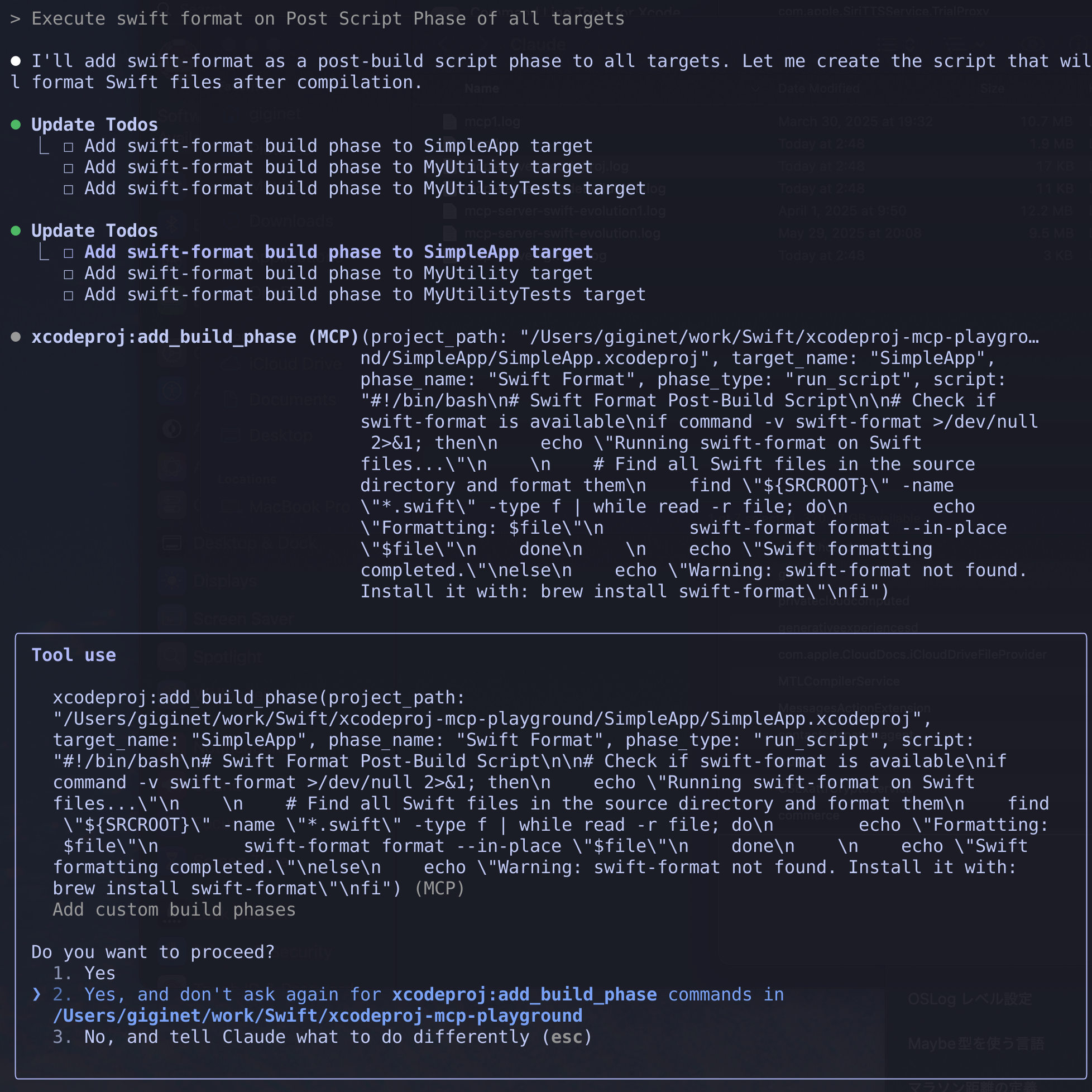
add_build_phase- Add custom build phases- Parameters:
project_path,target_name,phase_type,name,script
- Parameters:
License
This project is licensed under the MIT License.
Dev Tools Supporting MCP
The following are the main code editors that support the Model Context Protocol. Click the link to visit the official website for more information.







