
Yourware Mcp
What is Yourware Mcp
yourware-mcp is a dedicated MCP server designed for uploading projects to the Yourware platform. It supports both single files and directories.
Use cases
Use cases for yourware-mcp include deploying web applications, managing project files for collaborative development, and integrating with CI/CD pipelines for automated deployments.
How to use
To use yourware-mcp, first log in to Yourware and create a new API key. Set the ‘YOURWARE_API_KEY’ environment variable accordingly. Then, configure your MCP server settings in your application to point to yourware-mcp.
Key features
Key features of yourware-mcp include support for uploading both single files and directories, easy API key management, and straightforward configuration for various environments.
Where to use
yourware-mcp can be used in software development environments where projects need to be uploaded to the Yourware platform, particularly in applications that require file management and deployment.
Clients Supporting MCP
The following are the main client software that supports the Model Context Protocol. Click the link to visit the official website for more information.





Overview
What is Yourware Mcp
yourware-mcp is a dedicated MCP server designed for uploading projects to the Yourware platform. It supports both single files and directories.
Use cases
Use cases for yourware-mcp include deploying web applications, managing project files for collaborative development, and integrating with CI/CD pipelines for automated deployments.
How to use
To use yourware-mcp, first log in to Yourware and create a new API key. Set the ‘YOURWARE_API_KEY’ environment variable accordingly. Then, configure your MCP server settings in your application to point to yourware-mcp.
Key features
Key features of yourware-mcp include support for uploading both single files and directories, easy API key management, and straightforward configuration for various environments.
Where to use
yourware-mcp can be used in software development environments where projects need to be uploaded to the Yourware platform, particularly in applications that require file management and deployment.
Clients Supporting MCP
The following are the main client software that supports the Model Context Protocol. Click the link to visit the official website for more information.
Content




Yourware MCP
MCP server to upload your project to yourware. Support single file or directory.
Showcase
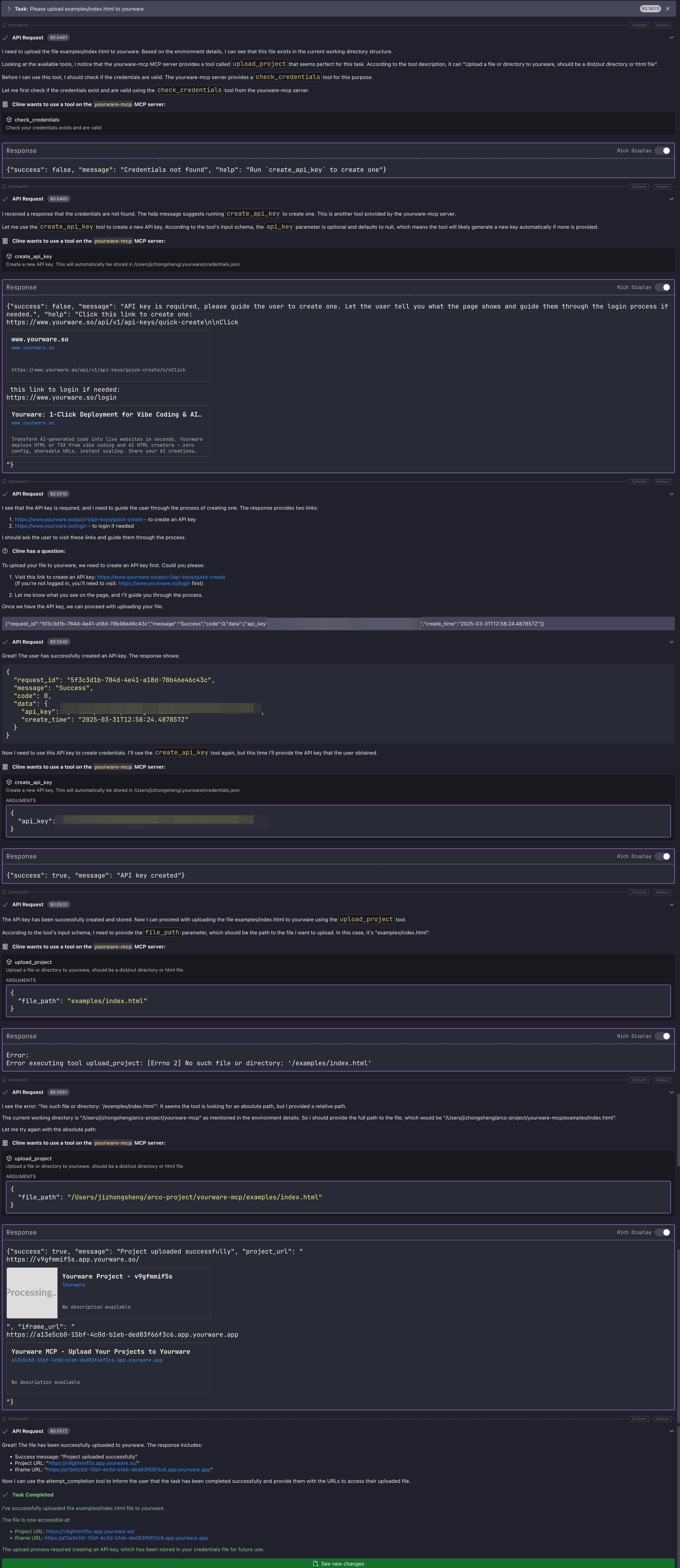
Visit on yourware: https://v9gfmmif5s.app.yourware.so/
Pre-requisites
- You need to login to yourware
- Then you can create a new API key, and set the
YOURWARE_API_KEYenvironment variable. Don’t worry, you chat with LLM to create and store the API key.
Configuration
General configuration
You can use the following configuration for cline/cursor/windsurf…
{
  "mcpServers": {
    "yourware-mcp": {
      "command": "uvx",
      "args": [
        "yourware-mcp@latest",
        "stdio"
      ],
      "env": {}
    }
  }
}
Cursor config guide
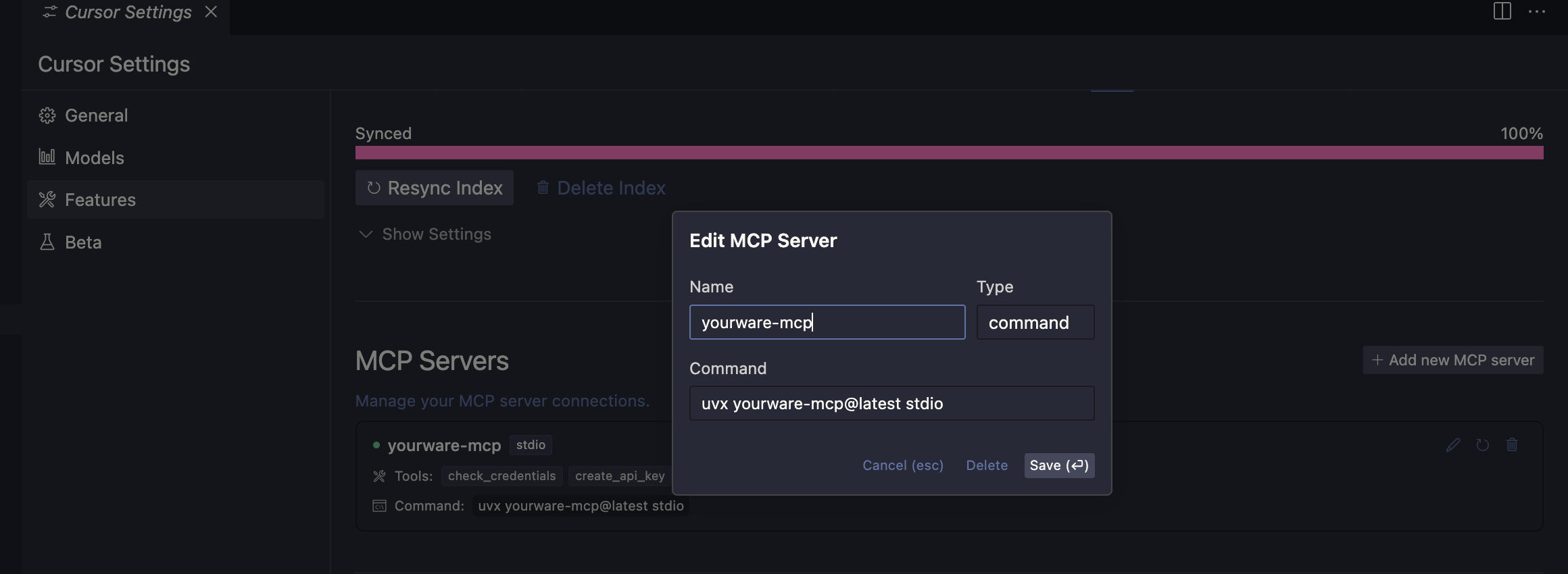
In cursor settings -> features -> MCP Servers, Add a new MCP Server, name it yourware-mcp and set the command to uvx yourware-mcp@latest stdio
Config claude code
claude mcp add yourware-mcp -s user -- uvx yourware-mcp@latest stdio
Available environments variables
YOURWARE_API_KEY for the API key, you can also let llm config it for you.
Dev Tools Supporting MCP
The following are the main code editors that support the Model Context Protocol. Click the link to visit the official website for more information.







