
Yt Mcp Server
What is Yt Mcp Server
yt-mcp-server is a specialized MCP server designed to provide various utility functions for handling YouTube data, including tools for managing YouTube URLs, video IDs, and thumbnails.
Use cases
Use cases for yt-mcp-server include building applications that display YouTube videos, creating analytics tools for YouTube content, and developing services that require interaction with YouTube’s API.
How to use
To use yt-mcp-server, first install the UV package manager and then install the server either from GitHub or set it up for local development. Configure your MCP client with the appropriate settings to connect to the server.
Key features
Key features of yt-mcp-server include the ability to retrieve YouTube watch URLs, manage video IDs, and handle thumbnails, making it a versatile tool for developers working with YouTube data.
Where to use
yt-mcp-server can be used in various fields such as web development, data analysis, and application development where integration with YouTube data is required.
Clients Supporting MCP
The following are the main client software that supports the Model Context Protocol. Click the link to visit the official website for more information.





Overview
What is Yt Mcp Server
yt-mcp-server is a specialized MCP server designed to provide various utility functions for handling YouTube data, including tools for managing YouTube URLs, video IDs, and thumbnails.
Use cases
Use cases for yt-mcp-server include building applications that display YouTube videos, creating analytics tools for YouTube content, and developing services that require interaction with YouTube’s API.
How to use
To use yt-mcp-server, first install the UV package manager and then install the server either from GitHub or set it up for local development. Configure your MCP client with the appropriate settings to connect to the server.
Key features
Key features of yt-mcp-server include the ability to retrieve YouTube watch URLs, manage video IDs, and handle thumbnails, making it a versatile tool for developers working with YouTube data.
Where to use
yt-mcp-server can be used in various fields such as web development, data analysis, and application development where integration with YouTube data is required.
Clients Supporting MCP
The following are the main client software that supports the Model Context Protocol. Click the link to visit the official website for more information.
Content
yt-mcp-server
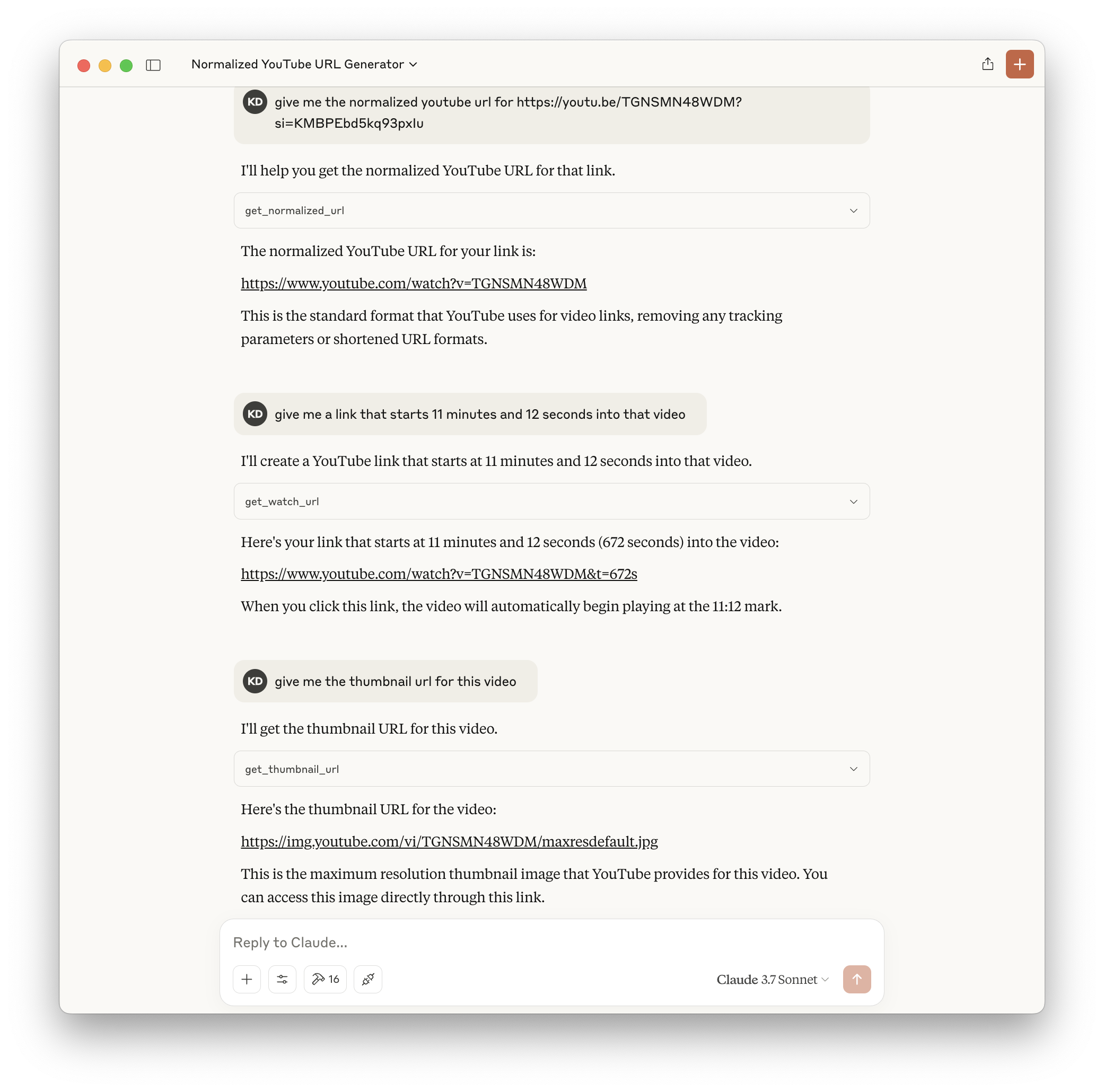
MCP server with various utility functions for dealing with YouTube data. This server provides tools for working with YouTube URLs, video IDs, and thumbnails.
📖 Resources
Prerequisites
- Python 3.12 or higher
- UV package manager
Setup
1. Install UV
If you haven’t installed UV yet, you can install it using:
brew install uv
# alternatively curl -LsSf https://astral.sh/uv/install.sh | sh
2. Installation Methods
Method 1: Install from GitHub (Recommended)
This is the simplest way to install and run the server:
uvx --from git+https://github.com/kdr/yt-mcp-server.git server
Method 2: Local Development Setup
If you want to modify the code locally:
git clone https://github.com/kdr/yt-mcp-server.git
cd yt-mcp-server
uv venv
source .venv/bin/activate  # On Unix/macOS
# or
.venv\Scripts\activate  # On Windows
uv pip install -e .
3. Configure MCP Client
Add the following configuration to your MCP client settings:
{
  "mcpServers": {
    "yt-mcp-server": {
      "command": "uvx",
      "args": [
        "--from",
        "git+https://github.com/kdr/yt-mcp-server.git",
        "server"
      ]
    }
  }
}
For local development (Method 2), use this configuration instead:
{
  "mcpServers": {
    "yt-mcp-server": {
      "command": "uv",
      "args": [
        "--directory",
        "/ABSOLUTE/PATH/TO/PARENT/FOLDER/yt-mcp-server/yt_mcp_server",
        "run",
        "main.py"
      ]
    }
  }
}
Available Tools
The following tools are available to the LLM:
-
get_watch_url: Returns the YouTube watch URL for a given video ID, optionally starting at a specific time- Parameters:
video_id: The YouTube video IDstart_time: (Optional) The start time in seconds
- Parameters:
-
get_thumbnail_url: Returns the thumbnail URL for a given YouTube video ID- Parameters:
video_id: The YouTube video ID
- Parameters:
-
get_normalized_url: Normalizes various YouTube URL formats to the canonical watch URL and extracts the video ID- Parameters:
url: The YouTube URL to normalize
- Parameters:
Dev Tools Supporting MCP
The following are the main code editors that support the Model Context Protocol. Click the link to visit the official website for more information.







